Clapse — A terminal-based C++ build profiler
Flamegraph TUI for Clang -ftime-trace. Find PCH candidates, template bottlenecks, and slow translation units — without leaving the terminal.
The problem
Clang’s -ftime-trace flag produces one JSON file per translation unit, each containing a tree of timed compilation spans — parsing, template instantiation, optimization passes, code generation. On a medium-sized project, that’s hundreds of files with thousands of spans each. The data is thorough, but extracting actionable insight from it is painful.
Two tools exist in this space: ClangBuildAnalyzer and ninjatracing. ClangBuildAnalyzer aggregates -ftime-trace data and prints a static report — useful for a one-time snapshot, but you can’t explore the data interactively. ninjatracing converts .ninja_log files into Chrome trace format and can merge individual -ftime-trace JSONs into the same timeline, giving you both build-level and per-TU span detail in chrome://tracing or Perfetto. It works, but you’re still in a browser-based viewer — no keyboard-first navigation, no cross-TU aggregation, no PCH or template candidate extraction. You’re looking at the data, not being told what to fix.
The missing piece: an interactive explorer that combines the span-level detail of -ftime-trace with the navigability of a flamegraph, right in the terminal where you already run your builds.
What Clapse does
Point Clapse at a build directory. It discovers every -ftime-trace JSON file (matching *.*.json with a corresponding .o), parses them, and presents three tabs.
Flamegraph
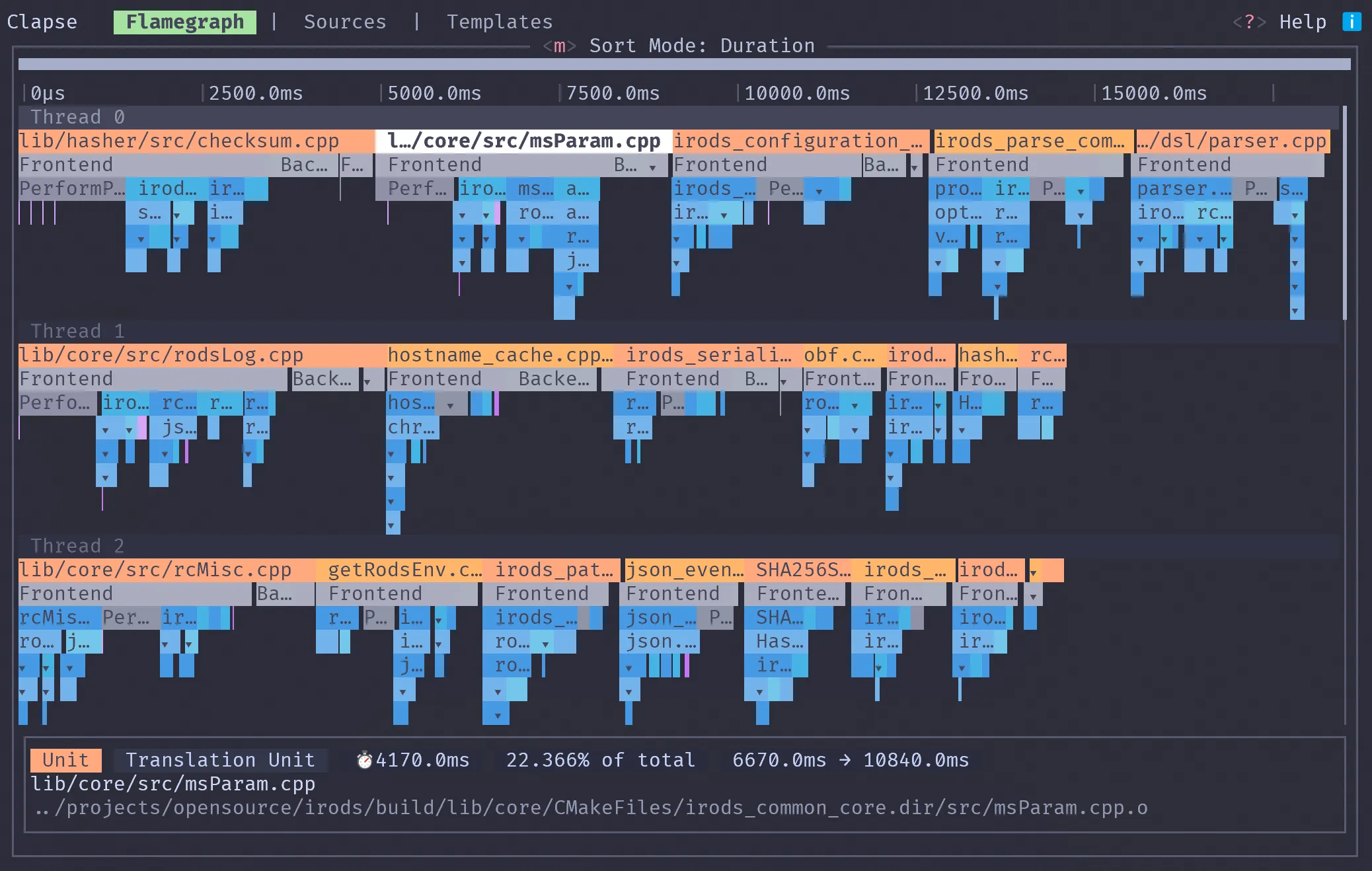
A hierarchical view of all compilation spans across all translation units. Each colored block is a timed span — width is duration, depth is nesting. Zoom and pan with arrow keys, click a span to see its details. Full-text search across all spans lets you jump to specific symbols or headers.
This replaces the manual workflow of grepping through JSON files, writing one-off aggregation scripts, or loading individual traces into about:tracing one TU at a time.
Sources
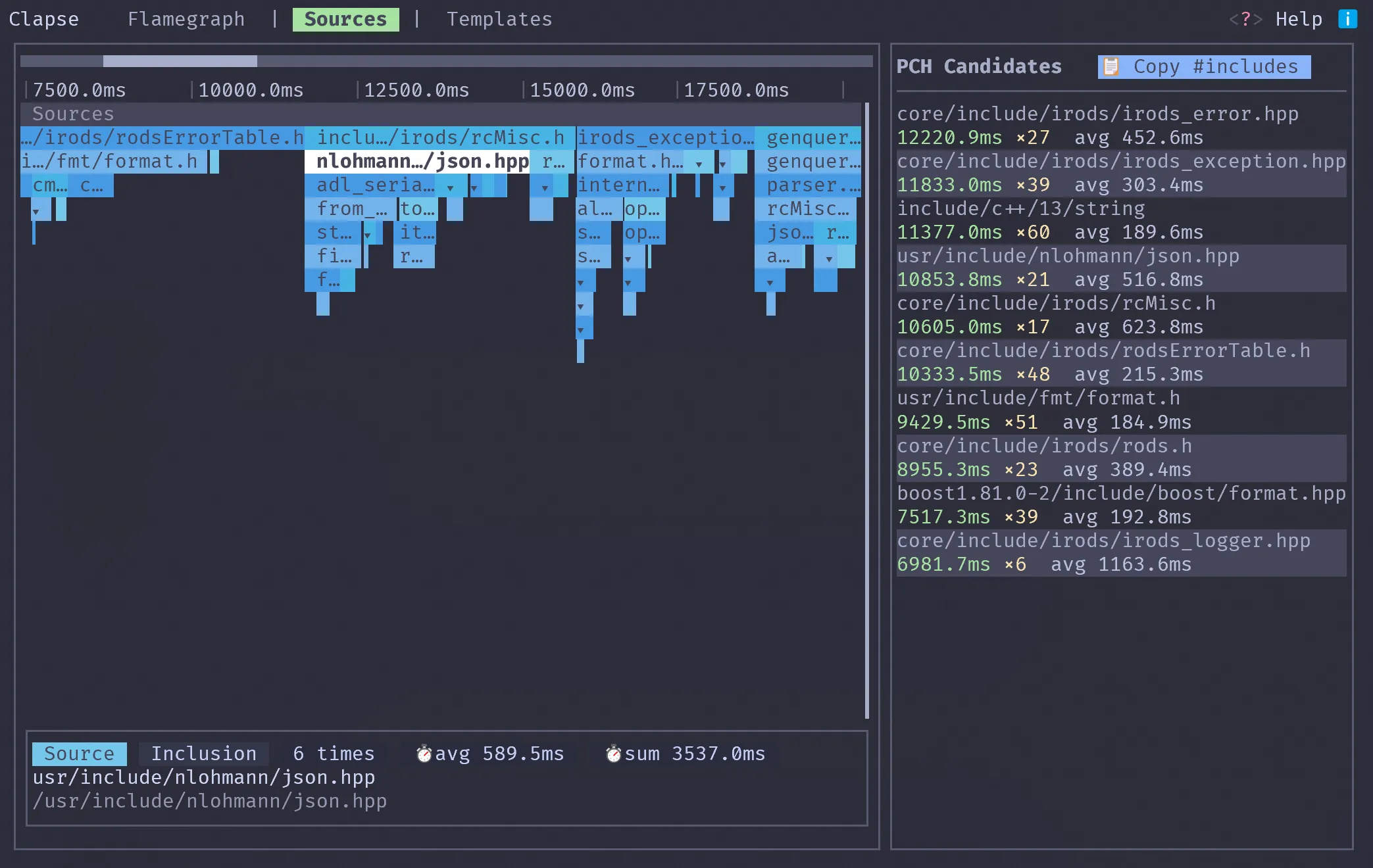
Spans aggregated by source file, ranked by cumulative parse time. The top entries are your precompiled header candidates — copy them as #include directives with Ctrl+Y.
ClangBuildAnalyzer can produce a similar report, but as a static text dump. Clapse lets you drill into any file to see which spans inside it are expensive, not just the total.
Templates
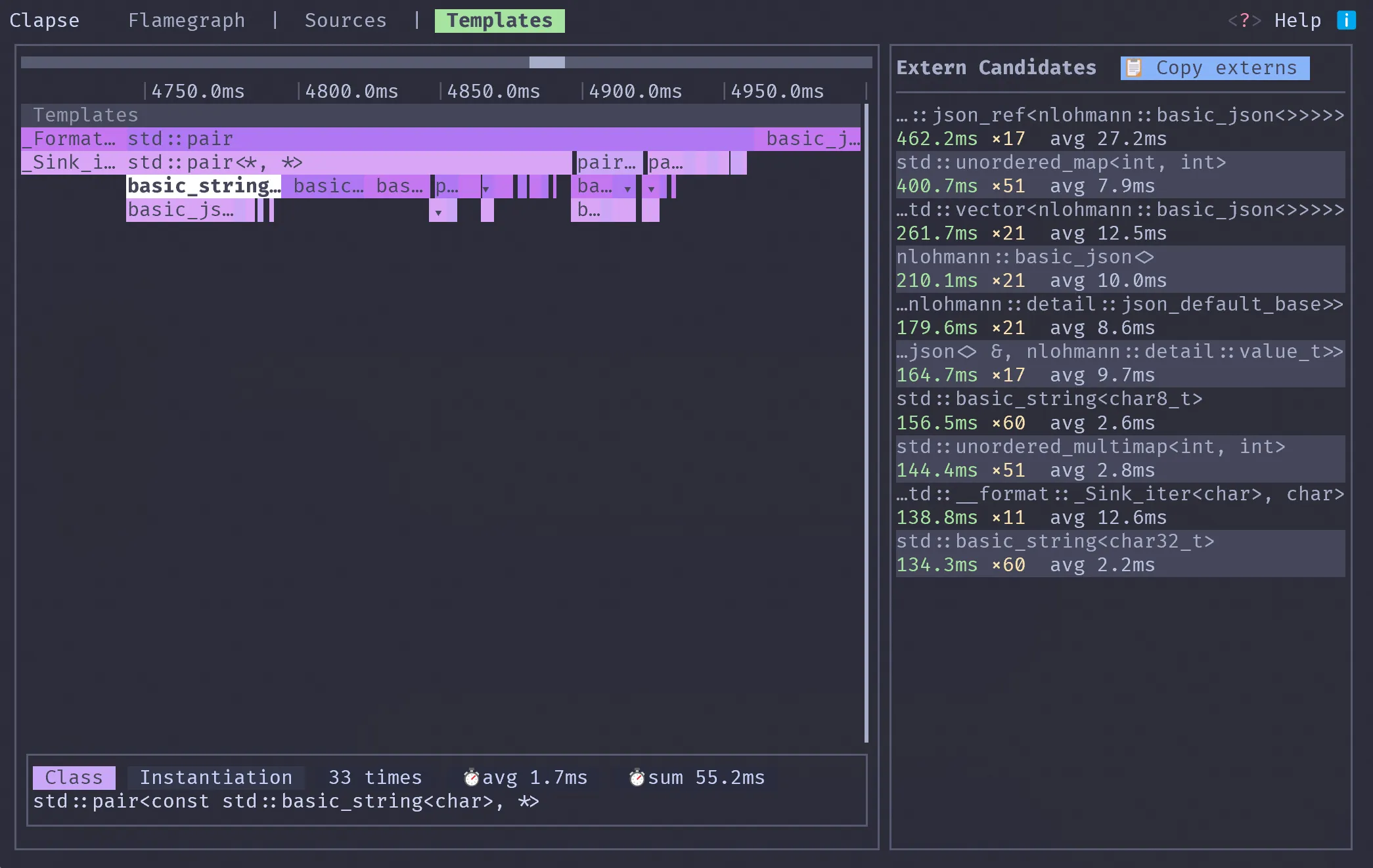
Template instantiations aggregated by signature, ranked by cumulative time. The top entries are extern template candidates — copy them with Ctrl+Y and paste into a shared source file to avoid redundant instantiation across translation units. Neither ClangBuildAnalyzer nor ninjatracing surfaces this.
Why a terminal UI
Chrome’s about:tracing can render flamegraphs from -ftime-trace files, but you have to load them one at a time — no cross-TU aggregation. GUI profilers exist but require leaving the terminal.
Clapse runs where your build toolchain lives: cmake → ninja → clapse build/ — same terminal session, no context switch. Keyboard-first navigation, works over SSH, runs in tmux. Built in Rust with ratatui and serde; parses a full build directory in under a second.
Try it
git clone https://github.com/mkellal/clapse.git
cd clapse
cargo install --path .

# Enable -ftime-trace in your build
cmake -GNinja -DCMAKE_CXX_FLAGS="-ftime-trace" ..
ninja

# Profile
clapse build/